
Contact Capture
Awentail automatically detects when visitors share contact information during conversation. No forms, no pop-ups — just natural conversation.
How it works
- A visitor chats with your assistant and mentions their email or phone number
- Awentail’s AI automatically recognizes the contact information
- The contact is saved with an AI-generated conversation summary
- You get a new contact in your contacts dashboard
Detection works for:
- Email addresses — Any standard email format
- Phone numbers — International and local formats
Viewing contacts
Go to the Contacts page in the sidebar. Each contact shows:
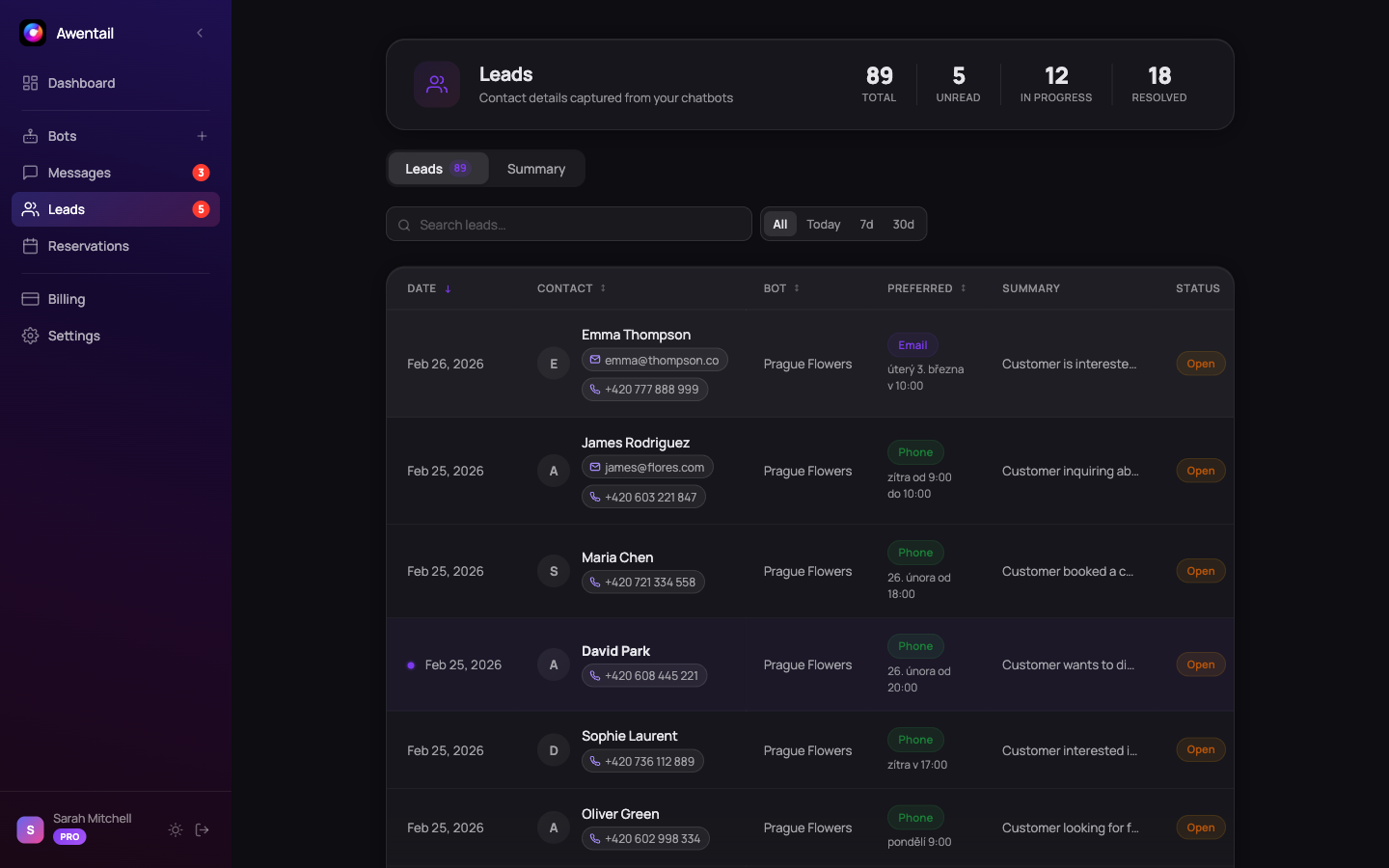
- Contact details — Email, phone number, or both
- Assistant — Which AI assistant captured the contact
- Date — When the conversation took place
- AI summary — A brief summary of what the visitor discussed
- Status — Read/unread indicator
Contact summaries
Each captured contact includes an AI-generated summary. This gives you instant context about what the visitor was interested in, what questions they asked, and what products or services they mentioned — without reading the entire conversation.
Filtering and search
Use the toolbar to find specific contacts:
- Search — Filter by email, phone or summary content
- Time period — Today, this week, this month, all time
- Assistant filter — Show contacts from a specific AI assistant
Managing contacts
- Mark as read — Click a contact to mark it as read
- View conversation — Click through to the full conversation history
- Export — (Coming soon) Export contacts as CSV
Appointment booking
For assistants with the appointment purpose, visitors can book meetings directly in the chat:
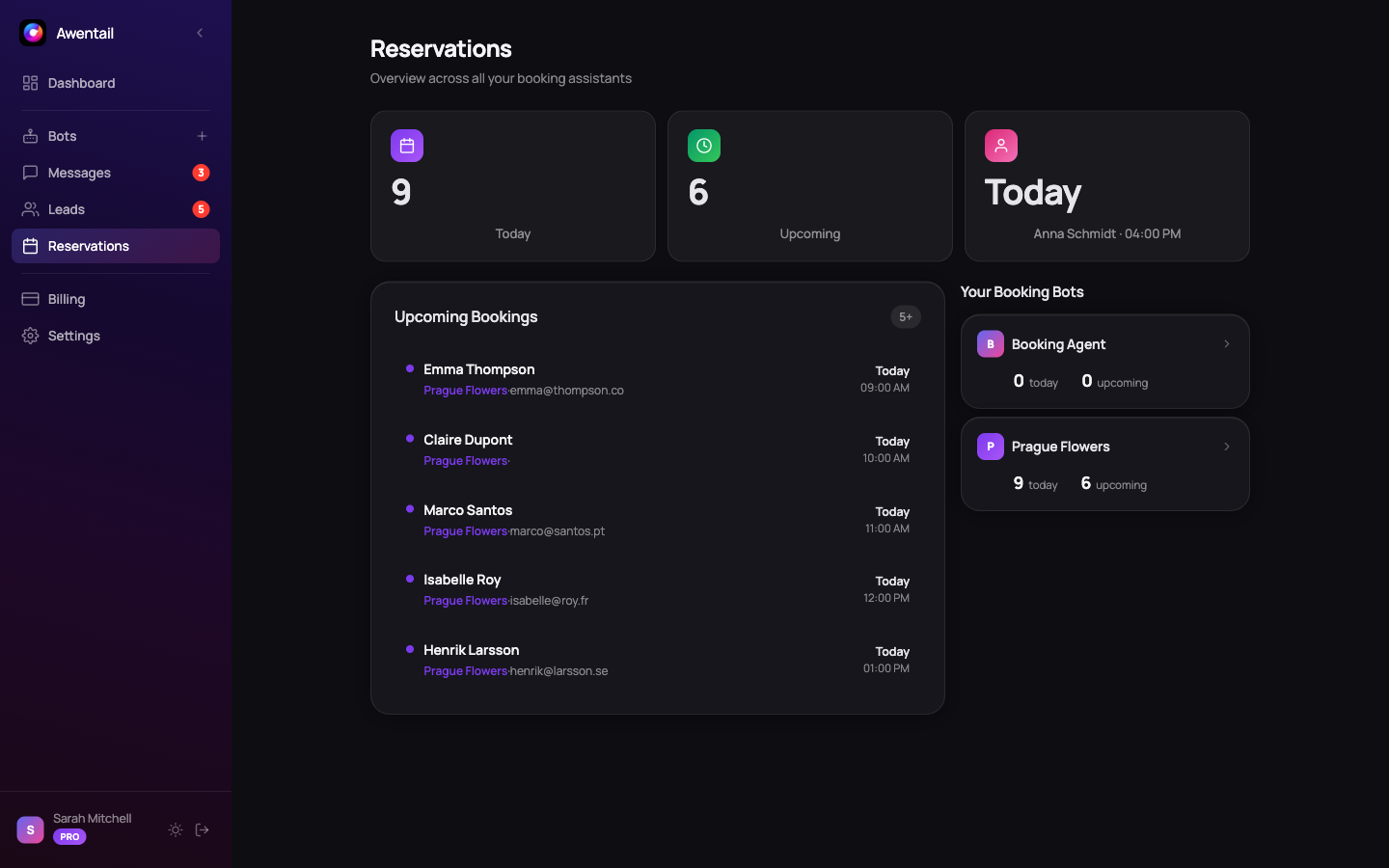
- Set your availability in the Reservations tab (business hours, appointment duration, buffer time)
- The assistant automatically offers available time slots when relevant
- Visitors select a slot and confirm — both parties receive email confirmation
- Manage all bookings from the Reservations overview
Best practices
- Check contacts daily — Fresh contacts have a higher conversion chance
- Use AI summaries — Quickly prioritize which contacts to follow up with first
- Train your assistant well — An assistant with a quality knowledge base will naturally capture more contacts because visitors engage more deeply
- Don’t force it — The assistant captures contacts naturally from conversation. Visitors share contact details when they have genuine interest
Tracking contacts by assistant
Each assistant tracks contacts independently. If you have a sales assistant and a support assistant, you’ll see which one generated each contact — helping you route follow-ups to the right team.